Canon Print Service

 Category Category | Apps |
 Size Size | 20.85 MB |
 Requirements Requirements | Android 4.4 and up |
 Downloads Downloads | 690,000,000+ |
 Package Name Package Name | jp.co.canon.android.printservice.plugin |
 Content Rating Content Rating | 3 |
Canon Print Service App Download Overview
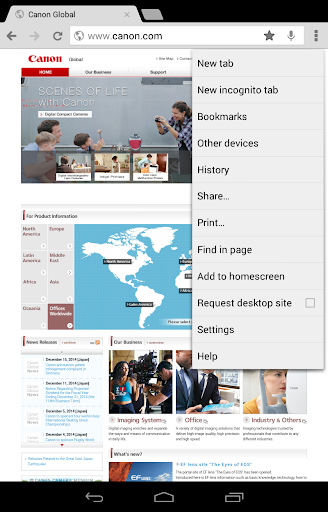
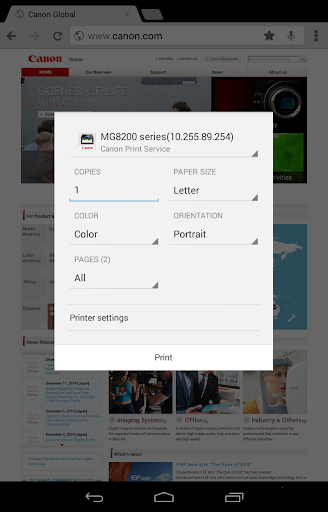
Welcome to Canon Print Service, your new essential tool for simplified, wireless printing directly from your smartphone or tablet. This versatile software functions seamlessly within applications that support Android’s printing subsystem, connecting directly to your Canon printer over a wireless network. Enjoy the convenience of transforming your mobile device into a remote control for your printer, with features like switching between color and black-and-white printing, 2-sided printing, secure printing, and much more.
Canon Print Service Mobile App Download Features
- User-friendly Design: Enjoy intuitive control with simple menu navigation.
- Color Management: Switch easily between color or black-and-white printing.
- 2-Sided Printing: Save paper with the efficient 2-sided printing feature.
- Secure Printing: Print confidential documents confidently with secure printing.
- Department ID Management: Keep track of print jobs with the Department ID management system.
- Direct PDF Printing: Experience the convenience of direct PDF printing.
- Printer Discovery: Find printers easily by specifying the IP address.
- Customizable Settings: Enjoy flexibility with diverse printer setting options, including paper type, stapling, borderless printing, and more.
Please note that the configurable settings depend on the printer model in use.
Canon Print Service App – What’s New
We continually seek to enhance the printing experience for our users. For users with Android 7 or later installed, the Canon Print Service is now automatically activated after installation, saving you the time and effort of manual activation.
Canon Print Service Mobile App Description
Canon Print Service stands as a pioneering printing solution, transforming your mobile device into a conduit for easy, fast, and flexible printing. This software connects directly with Canon printers over wireless networks to streamline the printing process and make it more convenient than ever. No matter where you are in the house or office, you can print directly from your smartphone or tablet.
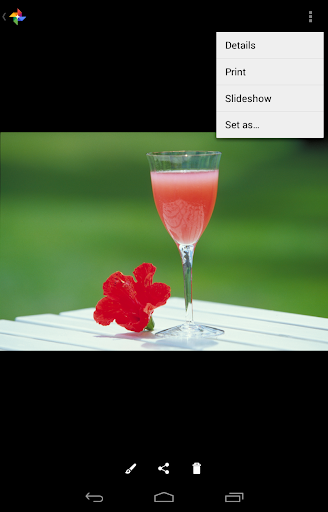
The software’s key features include color and black-and-white printing, 2-sided printing, paper type setting, secure printing, department ID management, and direct PDF printing. With an interface that lets you recall the last action from the share menu and discover printers by specifying the IP address, Canon Print Service ensures a user-friendly, straightforward printing experience.
It’s compatible with a wide range of Canon Printers and Android terminals with Android 4.4.2 (KitKat) or later. Download Canon Print Service today and transform your printing experience.


Screenshots