Cisco Webex Meetings

 Category Category | Apps |
 Size Size | 79.1 MB |
 Requirements Requirements | Android 4.4 and up |
 Downloads Downloads | 150,000,000+ |
 Package Name Package Name | com.cisco.webex.meetings |
 Content Rating Content Rating | Everyone |
Cisco Webex Meetings App Download Overview
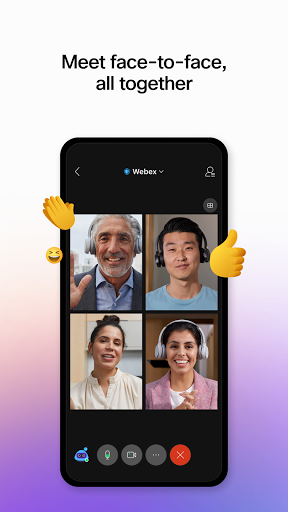
Welcome to Cisco Webex Meetings – the cutting-edge app designed to keep your business in motion, even when you are on the go. Join over 6 billion meetings happening every month and enjoy an engaging and productive meeting experience from wherever you are. With Webex Meetings, you can present from any meeting, event, or training session. Plus, enjoy seamless joining from your calendar or widget, schedule meetings directly from your app, share your screen with everyone and much more. Experience why Webex Meetings is preferred by more users than any other meeting vendors globally.
Cisco Webex Meetings Mobile App Download Features
- Join and Present: Participate in any meeting, event, or training session, and present your ideas directly from the app.
- Hands-Free Voice Commands: Utilize the power of Google Assistant and Google Home Hub for hands-free voice commands.
- Seamless Joining: Step into meetings directly from your calendar or customizable widget.
- Schedule and Playback: Conveniently schedule meetings or playback recordings right from your app.
- Customizable Video Layouts: Personalize your video layouts for a more engaging visual experience.
- Screen Sharing: Broaden the understanding of your discussions by sharing your screen with everyone.
Cisco Webex Meetings App – What’s New
Version 40.2 comes with exciting new enhancements. We’ve added Toyota SDL car support for a smoother on-the-go experience. Usability has been improved, and various bugs have been fixed, ensuring an even more seamless meeting experience.
Cisco Webex Meetings Mobile App Description
Cisco Webex Meetings is a game-changing application that revolutionizes business communications. With our app, you can attend or host meetings, present in various events, and participate in training sessions, no matter where you are. Our app is designed to make remote collaboration as productive and engaging as in-person interactions. Intuitive controls allow you to schedule meetings, playback recordings, and share your screen with all participants. Plus, with customizable video layouts, you can personalize your interactions to suit your style. With the new update, you can use voice commands through Google Assistant and Google Home Hub. Explore why Cisco Webex Meetings is trusted globally by millions of businesses – big and small. Download now and don’t let being away from your office slow your business down.


Screenshots