Epson iPrint

 Category Category | Apps |
 Size Size | 75.46 MB |
 Requirements Requirements | Android 5 and up |
 Downloads Downloads | 710,000,000+ |
 Package Name Package Name | epson.print |
 Content Rating Content Rating | 3 |
Epson iPrint App Download Overview
Welcome to the world of convenience with Epson iPrint, a revolutionary app designed to simplify your everyday printing, scanning, and sharing needs. Epson iPrint, available for both Android and iOS devices, effortlessly connects your phone or tablet directly to your printer. This intuitively designed app enables you to print images, emails, files, or even an entire webpage. With the unique ability to support various platforms such as Box, Dropbox, Evernote, Google Drive, and Microsoft OneDrive, this app ensures you’re never more than a few taps away from managing your documents. Whether your printer is in the next room or across the globe, Epson iPrint makes printing hassle-free and super convenient.
Epson iPrint Mobile App Download Features
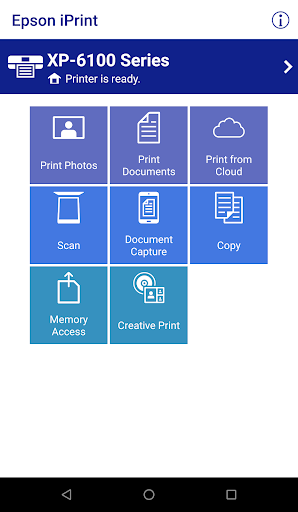
- User-friendly Interface: Print, scan, and share directly from your Android or iOS device.
- Remote Print Functionality: Use this feature to print from anywhere in the world to email-enabled Epson printers.
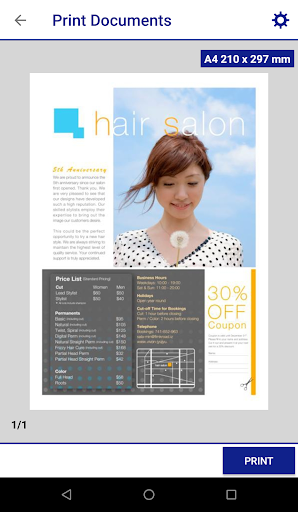
- Comprehensive File Support: Print photos, PDFs, and Microsoft Office files. Access to Google Drive is required to render Microsoft Office files into printable PDFs.
- Ample Storage Partner Choices: Print stored files, email attachments, and online files from Box, Dropbox, Evernote, Google Drive, and Microsoft OneDrive.
- Document Capture: Click a photo of a document with your device’s camera, format it, enhance, and save to print.
- Also supports scanning and sharing files from your Epson all-in-one and transfer files between your device and an SD card or USB drive via an Epson printer.
- Printer Management: Check your printer’s status and ink levels from your device.
- Advanced Network Printing: Print within a complex network environment using manual IP printer setup.
- In-built Assistance: Get help with a built-in FAQ section.
Epson iPrint App – What’s New
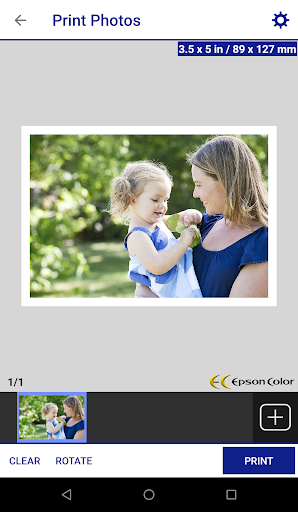
We constantly upgrade Epson iPrint to ensure a smoother, more efficient experience for our users. Our latest version includes high-quality photo printing with automatic backlight and color cast correction, multiple photo selection for printing, various scanning resolutions and image types, and the option to optimize print quality. You can now conveniently buy ink and supplies for your printer directly through the app.
Epson iPrint Mobile App Description
Epson iPrint is more than just a printing app. It’s designed to be the ultimate tool for all your document management needs. With seamless integration with major storage platforms, comprehensive file support, and an array of advanced features, Epson iPrint streamlines your printing, scanning, and document sharing processes. Be it printing high-quality photos, managing documents on Google Drive, or checking your printer’s ink level, Epson iPrint puts you in control. The app also offers the flexibility of printing within a complex network environment using manual IP printer setup. Moreover, an embedded FAQ section ensures all your queries about app functionalities are answered. Unleash the power of efficient document management with Epson iPrint!


Screenshots