Move to iOS

 Category Category | Apps |
 Size Size | 6.86 MB |
 Requirements Requirements | Android 4.3 and up |
 Downloads Downloads | 880,000,000+ |
 Package Name Package Name | com.apple.movetoios |
 Content Rating Content Rating | 3 |
Move to iOS App Download Overview
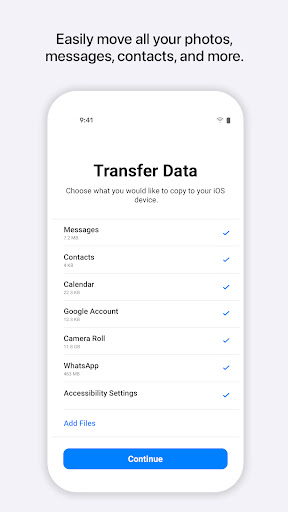
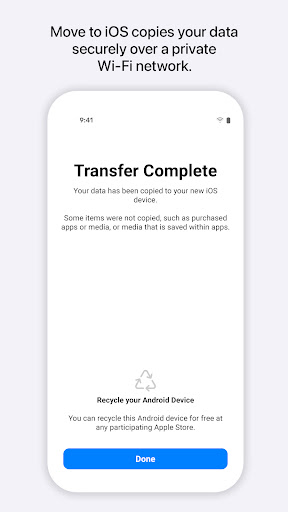
Move to iOS is a revolutionary app that ensures a seamless and secure transfer of your content from Android devices to iPhone, iPad, or iPod touch. This app supports the migration of diverse content including contacts, mail accounts, message history, web bookmarks, calendars, and multimedia such as photos and videos. Powered by a private WiFi network, the app ensures that all your data is transferred securely once you enter your unique security code. Preparing for a move to an iOS device? Ensure that your Android device Wi-Fi is turned on, and both devices are plugged into power.
Move to iOS Mobile App Download Features
- Effortless Data Transfer: Move to iOS effortlessly migrates all your content from Android to iOS operating systems.
- Comprehensive Content Support: Transfer your contacts, message history, web bookmarks, calendars, mail accounts, camera photos and videos, and more.
- Secure Transfer: Your new iOS device will generate a private WiFi network to ensure the secure transfer of your content.
- Efficient Connectivity: The app identifies your nearby Android device that is running Move to iOS and begins your content transfer once the security code has been entered.
- User-friendly Instructions: Simple and easy to follow steps ensuring a smooth transition to your iOS device.
Move to iOS App – What’s New
We are committed to constantly improving our app and making your digital migration experience even better. Stay tuned for any upcoming updates or enhancements that are designed to further elevate your user experience.
Move to iOS Mobile App Description
Switching from Android to iOS has never been easier with the Move to iOS app. Designed with a user-friendly interface and a commitment to secure data transfer, this app is your best bet for a hassle-free migration experience. This cutting-edge app supports the transfer of a wide variety of content, ensuring that none of your crucial data is lost in the migration process. Moreover, the app generates a private WiFi signal and uses a security code mechanism to keep your data safe and secure. Always striving for improvement, the Move to iOS team is dedicated to updating and enhancing the app for an even better user experience. You can download this convenient and secure app from Google Play Store or the App Store today.


Screenshots