Photo Collage

 Category Category | Apps |
 Size Size | 21.42 MB |
 Requirements Requirements | Android 4.3 and up |
 Downloads Downloads | 120,000,000+ |
 Package Name Package Name | photocollage.photoeditor.collagemaker |
 Content Rating Content Rating | 3 |
Photo Collage App Download Overview
Meet inCollage, your one-stop solution for all your photo collage and meme making needs! This captivating app allows you to select multiple pictures and instantly remix them into an artistic photo collage or a hilarious meme. With a wide array of layouts, filters, stickers, frames and text options at your disposal, you can create masterpieces that leave a lasting impression. The best part? It’s completely free!
Photo Collage Mobile App Download Features
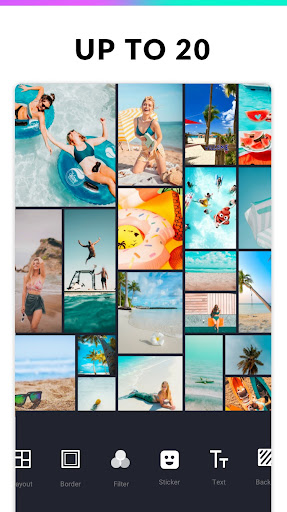
- Blend up to 18 photos to create outstanding pic collages.
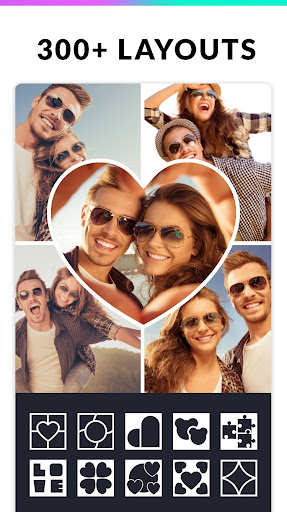
- Choose from over 100 layouts of photo frames or grids.
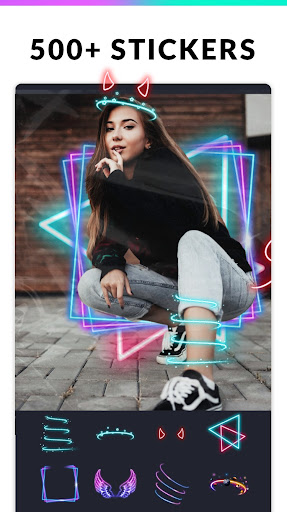
- Expansive background, sticker, font, and doodle options to elevate your creativity.
- Add text to your picture and share your meme with friends.
- Adjust the ratio of your collage and edit the border to your liking.
- Edit your photo with Filter, Text, Crop options.
- Create an Insta square photo with a blur background for Instagram.
- Save your creation in high resolution and share it on Instagram, Facebook, Whatsapp, Line and more.
Photo Collage App – What’s New
We’ve recently added even more photo frames and effects to help you celebrate all of life’s precious moments. From love photo frames and anniversary frames to holiday and baby photo frames, you now have more options than ever before. Plus, we’ve also expanded our meme generator functionality. You can now select from over 50 fonts and adjust text colour and size to create the funniest memes around.
Photo Collage Mobile App Description
inCollage is a Photo Collage Maker and Editor that brings the art of photo editing right to your fingertips. With the ability to combine up to 18 photos, you can create visually stunning collages that truly capture the essence of your favourite moments. Our easy-to-use meme generator comes packed with over 50 fonts, allowing you to create and share hilarious memes with friends. In addition to standard photo collages, inCollage also offers a freestyle mode where you can design a scrapbook with full screen ratio backgrounds, pictures, stickers, texts, and doodles. What’s more, you can square photos with a blur or white background to fit Instagram, with a choice of standard Instagram ratios. The app also requires permissions “READ_EXTERNAL_STORAGE, WRITE_EXTERNAL_STORAGE” to read and edit your photos. Rest assured, we only use these permissions to enhance the functionality of inCollage.


Screenshots