Samsung Smart Switch Mobile

 Category Category | Apps |
 Size Size | 34.77 MB |
 Requirements Requirements | Android 4 and up |
 Downloads Downloads | 990,000,000+ |
 Package Name Package Name | com.sec.android.easyMover |
 Content Rating Content Rating | 3 |
Samsung Smart Switch Mobile App Download Overview
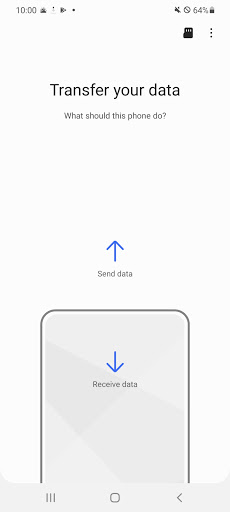
Welcome to Samsung Smart Switch, your one-stop solution for seamless data transfer to your Samsung Galaxy device. This powerful tool lets you transfer contacts, messages, calendars, photos, music, movies, and device settings with ease. Whether you’re an Android or an iOS user, Smart Switch simplifies data transfer, making the transition to a new device quick and hassle-free. Experience optimal convenience with the app’s ability to scan and transfer data from not just your device but also your SD Card.
Samsung Smart Switch Mobile Mobile App Download Features
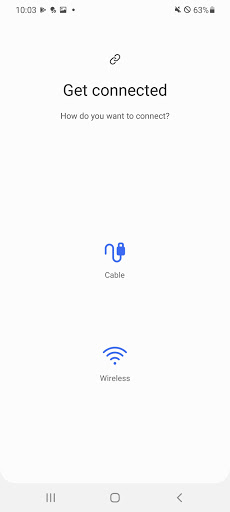
- Device-to-Device Transfer: Android users can take advantage of wireless device-to-device transfer. No hassles, no wires, just simple, fast data transfer.
- iCloud Import: For iOS users, Smart Switch works with iCloud, letting you import contacts, calendar photos, and videos for a smooth transition to your new Galaxy device.
- App Recommendations: Beyond basic data transfer, Smart Switch also suggests similar apps available on Google Play, helping you find new apps seamlessly.
- Comprehensive Data Scanning: Smart Switch scans and transfers data from your device or SD Card, ensuring none of your valuable files gets left behind.
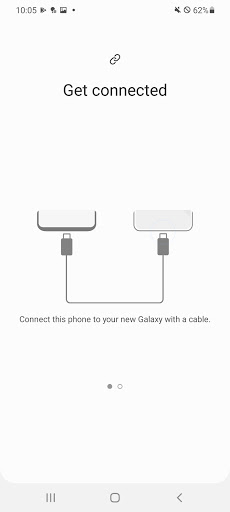
- USB Cable Connection: If you prefer a wired connection, you can connect your two devices using a USB cable for a secure data transfer.
Samsung Smart Switch Mobile App – What’s New
We are committed to constantly improving your experience, and recent updates have made Smart Switch more intuitive and efficient. Enhanced scanning capabilities ensure a more thorough transfer, meaning no file gets left behind. The newly improved app recommendation feature now offers even more tailored suggestions, helping you discover new favorites on Google Play.
Samsung Smart Switch Mobile Mobile App Description
Samsung Smart Switch is designed to ease your journey to a new Galaxy device. It allows you to transfer every crucial bit of data – contacts, messages, calendars, photos, music, videos, device settings, and more. Android users have the convenience of wireless device-to-device transfer, while iOS users can import from iCloud. But we go beyond just transferring; the app recommends similar apps on Google Play Store, aiding in your device setup process. Whether you’re storing data on your device or an SD card, our service ensures a thorough scan and transfer. Experience the new standard for data transfer with Samsung Smart Switch. Download now and bridge the gap between your devices.


Screenshots