Whats Web

 Category Category | Apps |
 Size Size | 15.39 MB |
 Requirements Requirements | Android 0 and up |
 Downloads Downloads | 430,000,000+ |
 Package Name Package Name | com.softinit.iquitos.whatsweb |
 Content Rating Content Rating | Everyone |
Whats Web App Download Overview
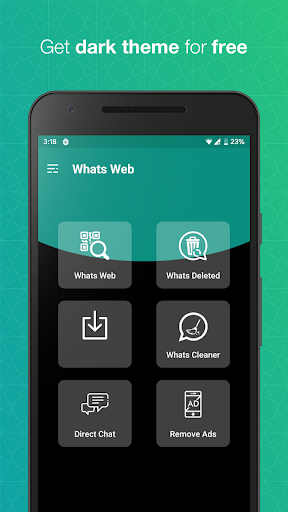
Introducing Whats Web, a smart application designed to provide users with an extended level of convenience and accessibility to their WhatsApp accounts. With its striking features like multiple device accessibility, easy file sharing, and a direct chat option, Whats Web enhances flexibility in communication, streamlines workflow, and simplifies data exchange across devices. Whether you’re on your tablet or computer, Whats Web keeps you connected to your WhatsApp account, helping you manage your communications more effectively.
Whats Web Mobile App Download Features
- Multiple Device Accessibility: Access your WhatsApp accounts on multiple devices like computers or tablets. You don’t need your phone to be connected, giving you the freedom to communicate whenever and wherever you want.
- Easy File Sharing: With Whats Web, you can easily share and transfer files across different platforms. Whether it’s documents or images, this application streamlines your workflow and simplifies data exchange between devices.
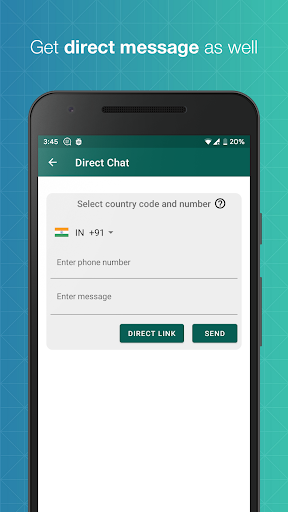
- Direct Chat Feature: This feature lets you send messages to numbers not stored in your contact list. It makes it convenient for users to communicate without saving contacts, offering a more efficient way to connect.
Whats Web App – What’s New
Keep an eye out for our regular updates as we consistently work to improve your experience with Whats Web. We aim to add new features and functionalities that enhance usability and provide a richer user experience.
Whats Web Mobile App Description
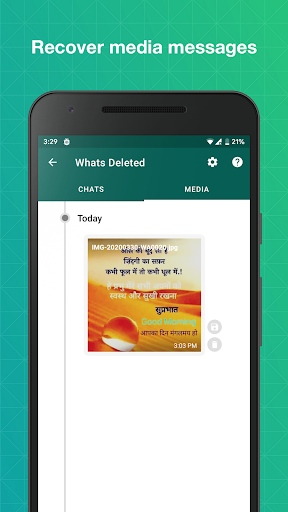
Whats Web is a dynamic app designed to give an enhanced experience of using WhatsApp. With this application, users can access their WhatsApp accounts from multiple devices, share files easily across platforms, and enjoy direct chat functionality for numbers not saved in their contact book. It is a perfect mix of convenience, flexibility, and simplicity. However, users should note that Whats Web requires scanning of a QR code to access WhatsApp, which may pose a potential security risk if not used with caution. Furthermore, certain features available on the official WhatsApp app may not be available on Whats Web, and its functionality is often dependent on a phone’s connection. Despite these, Whats Web strives to offer a valuable experience in managing your WhatsApp communications more effectively. Download now from Google Play or the App Store, and start exploring a new way of using WhatsApp.


Screenshots