Google Drive

 Category Category | Apps |
 Size Size | 105.78 MB |
 Requirements Requirements | Android 4.4 and up |
 Downloads Downloads | 810,000,000+ |
 Package Name Package Name | com.google.android.apps.docs |
 Content Rating Content Rating | 3 |
Google Drive App Download Overview
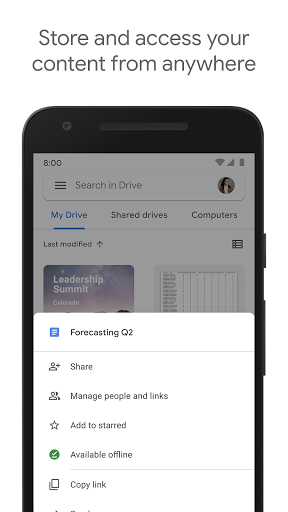
Welcome to Google Drive, an unparalleled online storage platform offering 15GB of free storage with the option to purchase additional storage up to a maximum of 30TB. This premier app allows you to backup, share, and organize your files with utmost ease. Seamlessly drag-and-drop files into folders and let Google Drive sync them automatically to the cloud and across all devices with Drive installed. Increase your efficiency in both work and personal life with Google Drive’s easy file and folder sharing, advanced search capabilities, and adjustable viewing and editing permissions.
Google Drive Mobile App Download Features
- Generous Storage: Get started with 15GB of free storage. Need more? Affordable options are available, up to a maximum of 30TB.
- Easy File Management: Simply drag-and-drop files for quick organization and automatic syncing to the cloud.
- File Sharing & Permissions: Share your files and folders easily, setting permissions to view, edit, or comment to maintain control of your content.
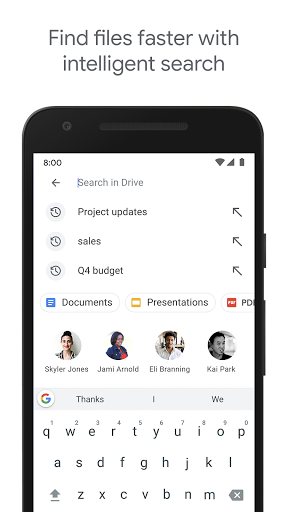
- Effective Search: Search files by name and content for effortless retrieval.
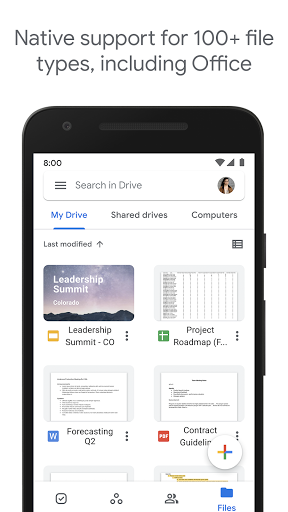
- View Options: Access your content quickly, view file details, and keep tabs on activity.
- Offline Access: Need to work sans connection? Google Drive supports offline viewing.
- Integration: Easily access your pictures and videos from Google Photos.
Google Drive App – What’s New
- February 17, 2022: Introducing Search chips, a new feature designed to optimize users’ search experience within Google Drive. Enter a keyword, use the dropdown menus: Location, File Type, People, Last Modified, Title only and To do, to filter your search results. This feature is now available to all Workspace users, G Suite Basic and Business users included.
- September 18, 2020: For a cleaner, more efficient Drive, files in trash will now automatically delete after 30 days, replacing the old system of indefinite retention unless manually deleted.
Google Drive Mobile App Description
Google Drive isn’t just storage – it’s a versatile tool designed to make your digital life easier. With its robust suite of features, this app allows you to effectively store, manage, share, and access your files from anywhere at any time. Google Drive stands out with advanced features like drag-and-drop for quick files organization, varied file sharing and permission controls, and powerful search functionality. Plus, with Google Photos integration, accessing your pictures and videos has never been easier. Choose Google Drive for a secure, efficient, and optimized online storage solution. Download now from Google Play or the App Store.


Screenshots