Google Slides

 Category Category | Apps |
 Size Size | 49.62 MB |
 Requirements Requirements | Android 4.4 and up |
 Downloads Downloads | 20,000,000+ |
 Package Name Package Name | com.google.android.apps.docs.editors.slides |
 Content Rating Content Rating | 3 |
Google Slides App Download Overview
Welcome to Google Slides – the one-stop solution for creating, editing, and collaborating on presentations from your Android phone or tablet. This dynamic app not only allows you to make presentations and edit existing files, but also features functionalities for working offline, adding and rearranging slides, and presenting directly from your mobile device. With Google Slides, you’ll never have to worry about losing your work—it’s all saved automatically as you type!
Google Slides Mobile App Download Features
- Create and Edit: Create new presentations or edit existing files on the go.
- Collaborate: Share your presentations and collaborate in real-time with your colleagues or teammates.
- Off-line Capabilities: With Google Slides, you can work anywhere, anytime—even when offline.
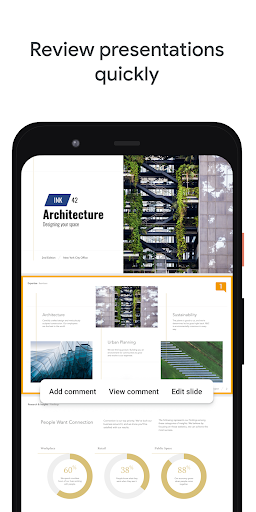
- Functionalities: Add and respond to comments, add and rearrange slides, format text and shapes, and more.
- Explore Feature: Instantly create beautiful slides using the Explore feature.
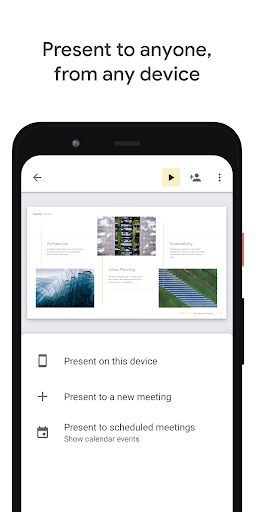
- Mobile Friendly: Present straight from your mobile device.
- Seamless Integration: Open, edit and save PowerPoint files.
Google Slides App – What’s New
With Google Slides, your scheduled meetings will automatically appear so you can seamlessly present slides to video calls. This integration with Google Calendar ensures you don’t miss any opportunities to impress with your presentations.
Google Slides Mobile App Description
Google Slides equips you with the tools to create, edit, and collaborate on presentations directly from your Android phone or tablet. Its intuitive user interface ensures seamless usage while promising real-time collaboration, allowing for simultaneous editing and discussions. Not just that, but Google Slides also comes with an offline mode for those times when you don’t have an internet connection. The app strives to ensure your work isn’t lost with its automatic saving feature. It also offers the flexibility to open, edit, and save PowerPoint files, making it a versatile tool for all your presentation needs.
Download Google Slides today and elevate your presentation game, whether at school, work, or for personal projects!


Screenshots