Microsoft OneDrive

 Category Category | Apps |
 Size Size | 92.52 MB |
 Requirements Requirements | Android 4.4 and up |
 Downloads Downloads | 240,000,000+ |
 Package Name Package Name | com.microsoft.skydrive |
 Content Rating Content Rating | 3 |
Microsoft OneDrive App Download Overview
OneDrive is the hassle-free solution to managing your files whether for personal or business use. This user-friendly app provides you with free online storage, allowing easy access to your files on any device, be it Android, iPhone & iPad, Windows Phone, tablets or computers (PC/Mac). You can easily upload, share, read, edit, search, and sort your files and documents, all while maintaining the security of a password-protected interface. OneDrive simplifies communication by enabling you to share work files not only with friends at school but also with business partners at your company. Download OneDrive today to revolutionize the way you manage, share, and collaborate on files.
Microsoft OneDrive Mobile App Download Features
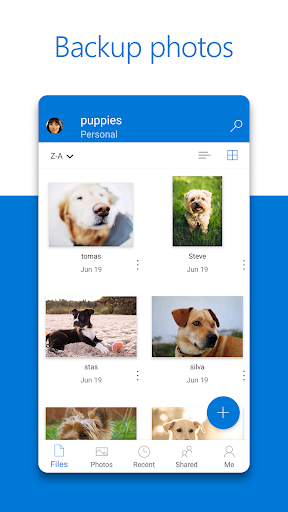
- Effortless Uploading: Easily upload your photos and videos automatically to OneDrive.
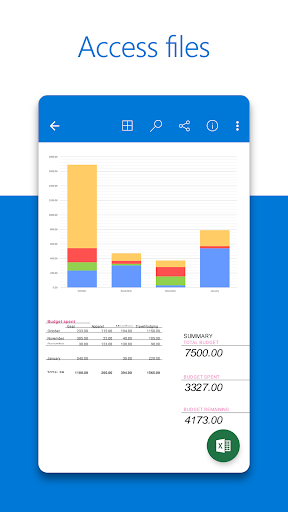
- Universal Access: Access any file, be it from work or your personal life, from anywhere and any device.
- Seamless Sharing: Share photos and documents with friends, family or business partners.
- Flexible Editing: Read and edit your documents right from the app.
- Streamlined search: Easily search for specific files and folders within OneDrive.
- Customized Sorting: Arrange your documents and folders as per your preference.
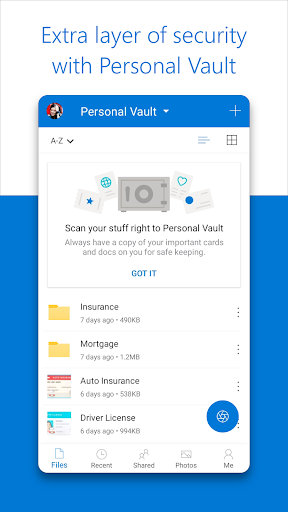
- Enhanced security: Secure your valuable files with the password-protected feature.
Microsoft OneDrive App – What’s New
Stay tuned for upcoming updates to enhance your OneDrive experience even further. While we continuously work on updates and improvements, the recent one includes a feature for businesses to sign in to OneDrive with a qualifying SharePoint Online account. Note that an account from an on-premises directory cannot be used for signing in.
Microsoft OneDrive Mobile App Description
OneDrive is your one-stop solution for file management. Whether you’re looking for a secure place to save and organize personal documents or a platform to share work files with your team, OneDrive delivers. With features like automatic uploading of photos and videos, seamless sharing of files, and the ability to read and edit documents from the app, OneDrive takes convenience to a new level. Furthermore, you can search for your files and folders effortlessly and sort them as you wish. With the added security of password protection, the app ensures that your files are safe. Businesses also have the option to sign in to OneDrive with a qualifying SharePoint Online account. Join OneDrive today to simplify your life by managing your files and documents effortlessly. Download from Google Play or the App Store to start your journey.


Screenshots