Mobizen Screen Recorder

 Category Category | Apps |
 Size Size | 37.71 MB |
 Requirements Requirements | Android 4.4 and up |
 Downloads Downloads | 210,000,000+ |
 Package Name Package Name | com.rsupport.mvagent |
 Content Rating Content Rating | 3 |
Mobizen Screen Recorder App Download Overview
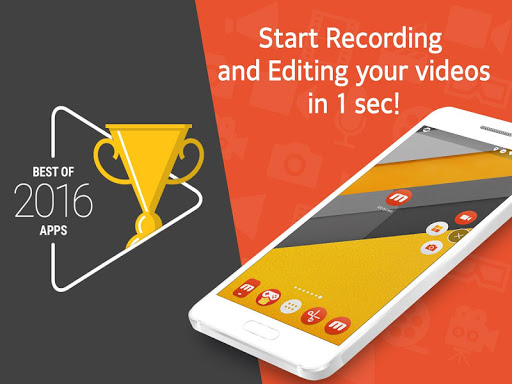
Welcome to Mobizen Screen Recorder, your one-stop-screen recording tool developed by MOBIZEN. This easy-to-operate app is designed to help you capture, record, and edit screen content with ease and precision. Now you can create high-quality videos with our vast range of editing features. Remember, this app is exclusively available for Android devices and can be downloaded from Google Play Store. So why wait, step into the world of professional-grade screen recording with Mobizen Screen Recorder!
Mobizen Screen Recorder Mobile App Download Features
- Clear Screen Recording: Record in Full HD with 1080 resolution, 60FPS, and 12.0 Mbps quality.
- Use Facecam: Capture your reactions along with game sounds and your voice while recording.
- Long Video Recording: With a high-capacity SD card, you can record long videos without interruption.
- Advanced Editing Features: Improve your videos with editing features like trim, cut, and image addition.
- Personalized Videos: Add your favorite background music and an intro & outro video to personalize your creations.
- Clean Recording Mode: Record videos without any watermarks.
- Non-Root Usage: Use Mobizen without rooting starting from OS 4.4.
- Completely Free: All features, including Capture, Record, and Edit are absolutely free.
- Watermark Free Option: Mobizen lets you remove the watermarks for free.
Mobizen Screen Recorder App – What’s New
In our recent updates, we’ve enhanced the overall user experience and added greater functionality to our app. We’ve improved the stability of our screen recording feature for a smoother, more efficient recording process. Also, we’ve made several bug fixes to ensure a more reliable and enjoyable experience for our users.
Mobizen Screen Recorder Mobile App Description
Mobizen Screen Recorder is a powerful screen recording app designed to deliver exceptional quality and convenience. With a comprehensive range of features, you can capture, record, and edit your screen content with unrivaled precision. Suitable for recording games, tutorials, or any screen activity, Mobizen provides a seamless solution for all your screen recording needs. Our advanced editing tools allow you to trim, cut, and add images to your recordings, creating a professional-quality video that is uniquely yours. Remember, all the amazing features of Mobizen are accessible without any rooting and it’s absolutely free. Enter a new era of screen recording with Mobizen!


Screenshots