Samsung Email

 Category Category | Apps |
 Size Size | 23.3 MB |
 Requirements Requirements | Android 8 and up |
 Downloads Downloads | 50,000,000+ |
 Package Name Package Name | com.samsung.android.email.provider |
 Content Rating Content Rating | 3 |
Samsung Email App Download Overview
Experience seamless email management with Samsung’s Email app specifically designed for Samsung mobiles with Android OS. With support for multiple personal and business email accounts, secure S/MIME encryption, and easy-to-use features like insightful notifications and SPAM management, Samsung Email simplifies your digital correspondence. As a comprehensive email solution, it allows organizations to implement various policies and integrates seamlessly with EAS for businesses.
Samsung Email Mobile App Download Features
- POP3 and IMAP Support: Manage your personal emails efficiently with POP3 and IMAP support.
- Exchange ActiveSync (EAS) Integration: Synchronize your Exchange Server-based business email, calendars, contacts, and tasks seamlessly.
- S/MIME Encryption: Ensure the security of your email communication with S/MIME encryption.
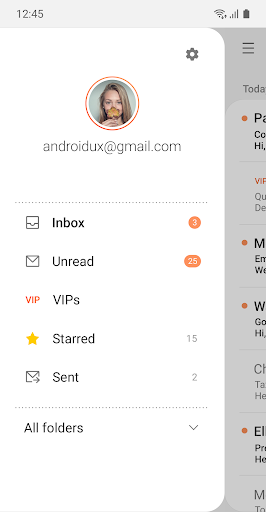
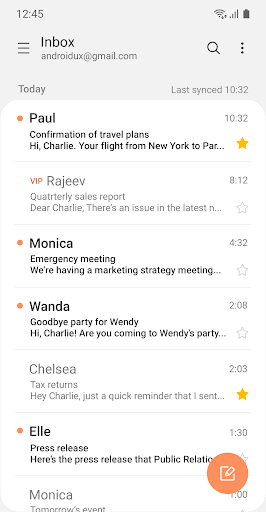
- Customizable User Experience: Set up notifications, schedule synchronization, manage SPAM, and combine mailboxes as per your needs.
- Policy Administration: Comprehensive, built-in EAS support for managing and implementing policies.
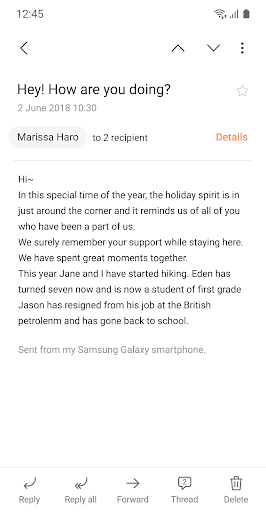
- Conversation and Thread View: Easily read and follow up on related mails with the conversation and thread view feature.
Samsung Email App – What’s New
Please note that our latest update does not support SamsungTheme from P OS. This update is now available for all Samsung mobiles running Android OS.
Samsung Email Mobile App Description
Samsung Email is a versatile and comprehensive solution for all your email requirements. Designed for Samsung mobiles with Android OS, it allows effortless management of personal and business emails in one place. With support for POP3, IMAP, and EAS integration, it ensures secure and efficient synchronization of your Exchange Server-based business emails, calendars, contacts, and tasks. Along with encryption for secure communication, it offers a customizable user experience with features like insightful notifications, SPAM management, and more. It also provides policy administration with comprehensive, built-in EAS support and a convenient conversation and thread view for related emails. With Samsung Email, handle your digital communication effortlessly and securely. Download it from Google Play and App Store today!


Screenshots