TeamViewer QuickSupport

 Category Category | Apps |
 Size Size | 47.45 MB |
 Requirements Requirements | Android 4.4 and up |
 Downloads Downloads | 90,000,000+ |
 Package Name Package Name | com.teamviewer.quicksupport.market |
 Content Rating Content Rating | 3 |
TeamViewer QuickSupport App Download Overview
Ensure seamless support for your mobile device from any Windows or Mac computer with our exceptional technical remote support application. By offering features such as chat, file transfer, remote control, and Wi-Fi settings adjustments, our app provides the comprehensive support you need to troubleshoot your device effortlessly. Plus, our app supports a plethora of devices, including Samsung, Sony, Asus, Lenovo, HTC, LG, ZTE, Huawei, Alcatel One Touch / TCL, and more, ensuring wide compatibility.
TeamViewer QuickSupport Mobile App Download Features
The app stands out with its following main features:
- Chat: Communicate easily and directly with your technician to understand and resolve issues.
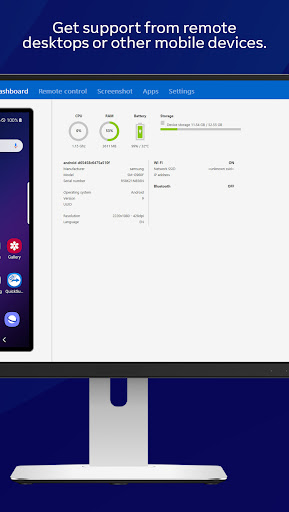
- View Device Information: Technicians have uninhibited access to view your device’s essential stats.
- Remote Control: Allows your technician to control your device as if it was their own, promoting efficiency.
- File transfer: Quickly and securely share files back and forth between devices.
- Process List: View running processes and stop any if required.
- WiFi Settings: Push and pull Wi-Fi settings to troubleshoot connectivity issues.
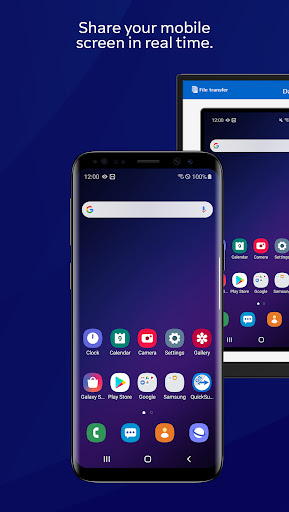
- Real-Time Screenshot: Technicians can view live screenshots of your device for a detailed understanding of the issue.
- Store Confidential Information: Safely store sensitive data into the device clipboard with 256 Bit AES Session Encoding.
TeamViewer QuickSupport App – What’s New
We are continually working to bring you the best possible experience with our app. Recent enhancements include an improved chat feature, offering more direct and swift interaction between users and technicians. We’ve also boosted our file transfer capability, guaranteeing faster and more secure transfers. Stay tuned for more updates and improvements!
TeamViewer QuickSupport Mobile App Description
Our app is designed to provide unparalleled remote technical support for your mobile devices. By furnishing technicians with the ability to control your device as if it was their own, we ensure effective troubleshooting for a wide range of issues. With chat support, secure file transfer, real-time screenshots, and safe storage of confidential information through 256 Bit AES Session Encoding, this app is your go-to solution for any device issues. Simply download the app, relay your ID to your trusted technician, and watch as your device troubles are efficiently resolved. Enjoy the ease and peace of mind that comes with having top-notch device support at your fingertips.


Screenshots